

Getting Started — Students
No login required. You can jump straight to your routine using your roll number, or browse by department and section.
Method A — Roll Number (Instant)
Directly open your current routine without navigation.
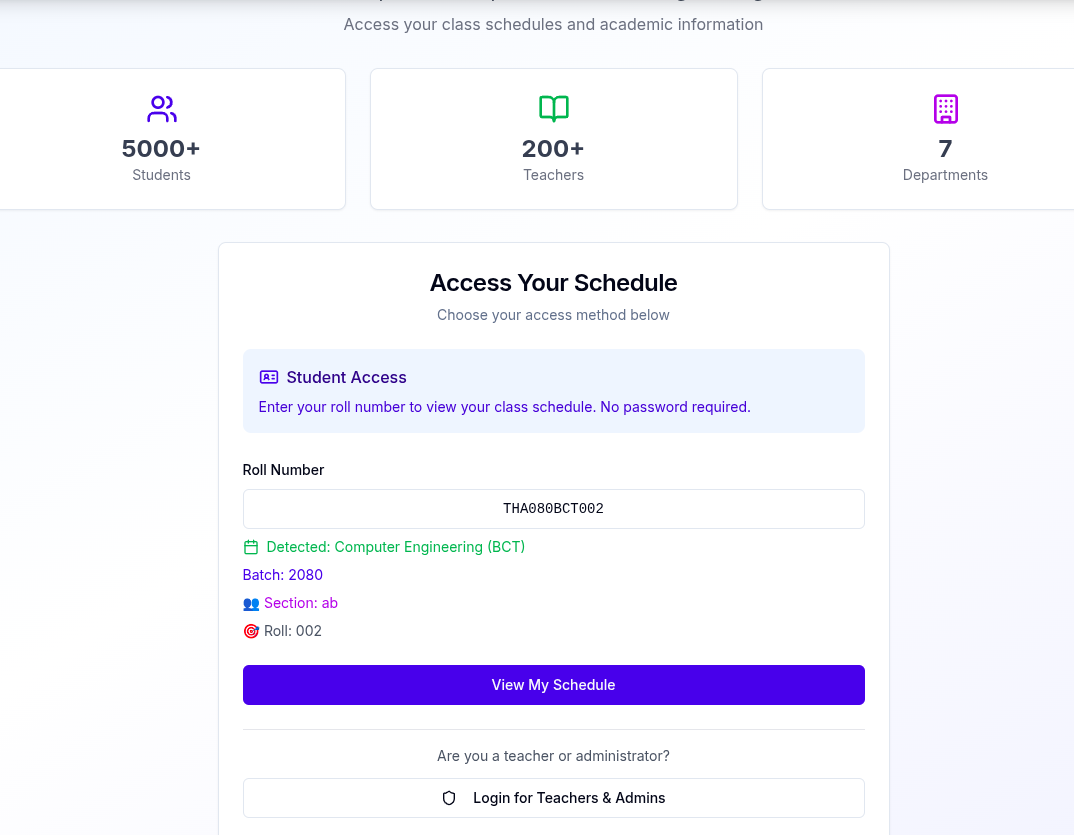
- Go to the homepage and find the roll number box.
- Enter your roll number (e.g., THA080BCT002). The system detects your program, batch, and section.
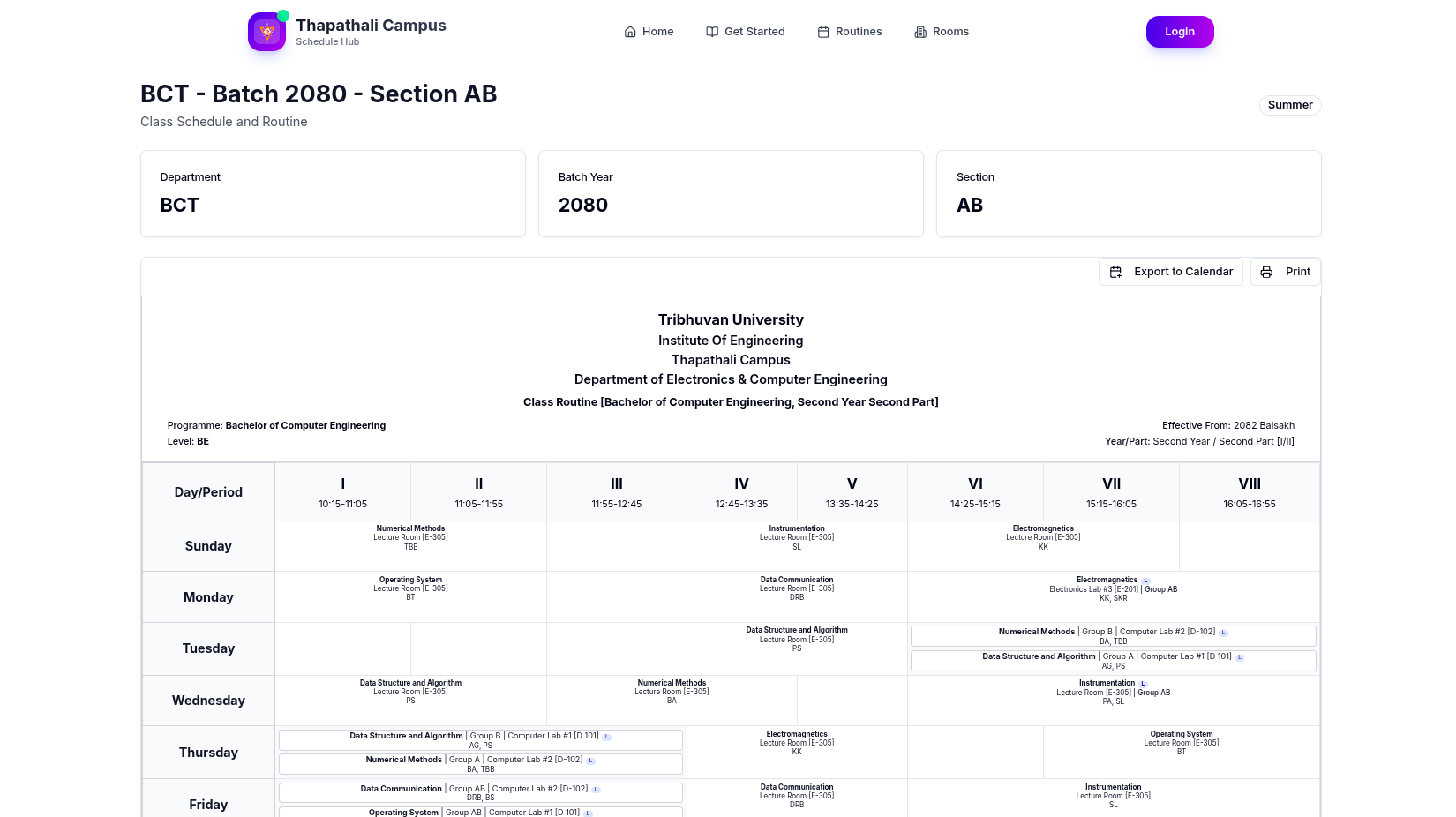
- Confirm if prompted; the routine opens automatically.
Method B — Navigate via Routines
Browse by department, program, semester, and section.
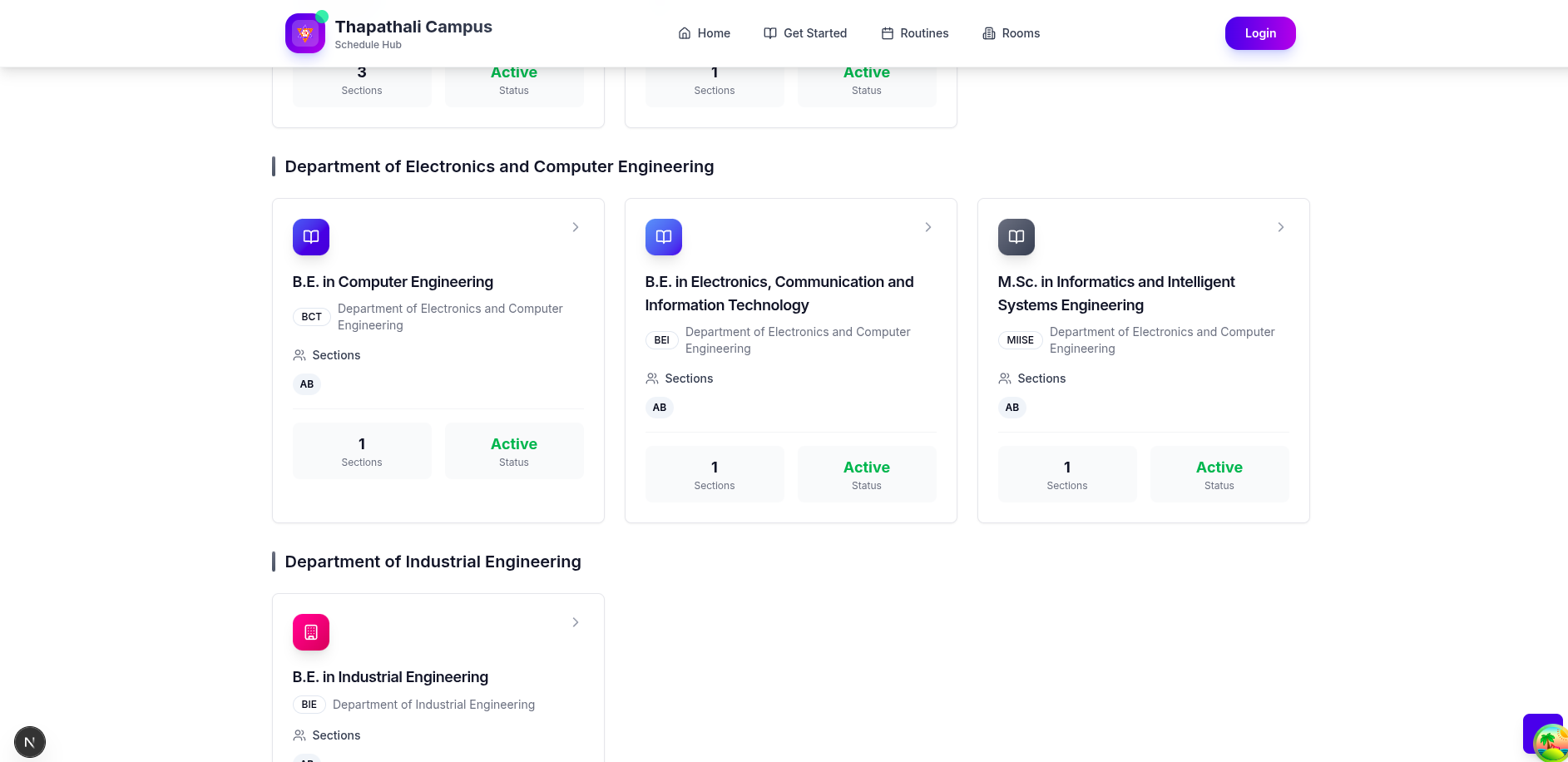
- Open the Routines page to view all departments and programs.
- Select your program card (e.g., BCT, BCE, BAR…).
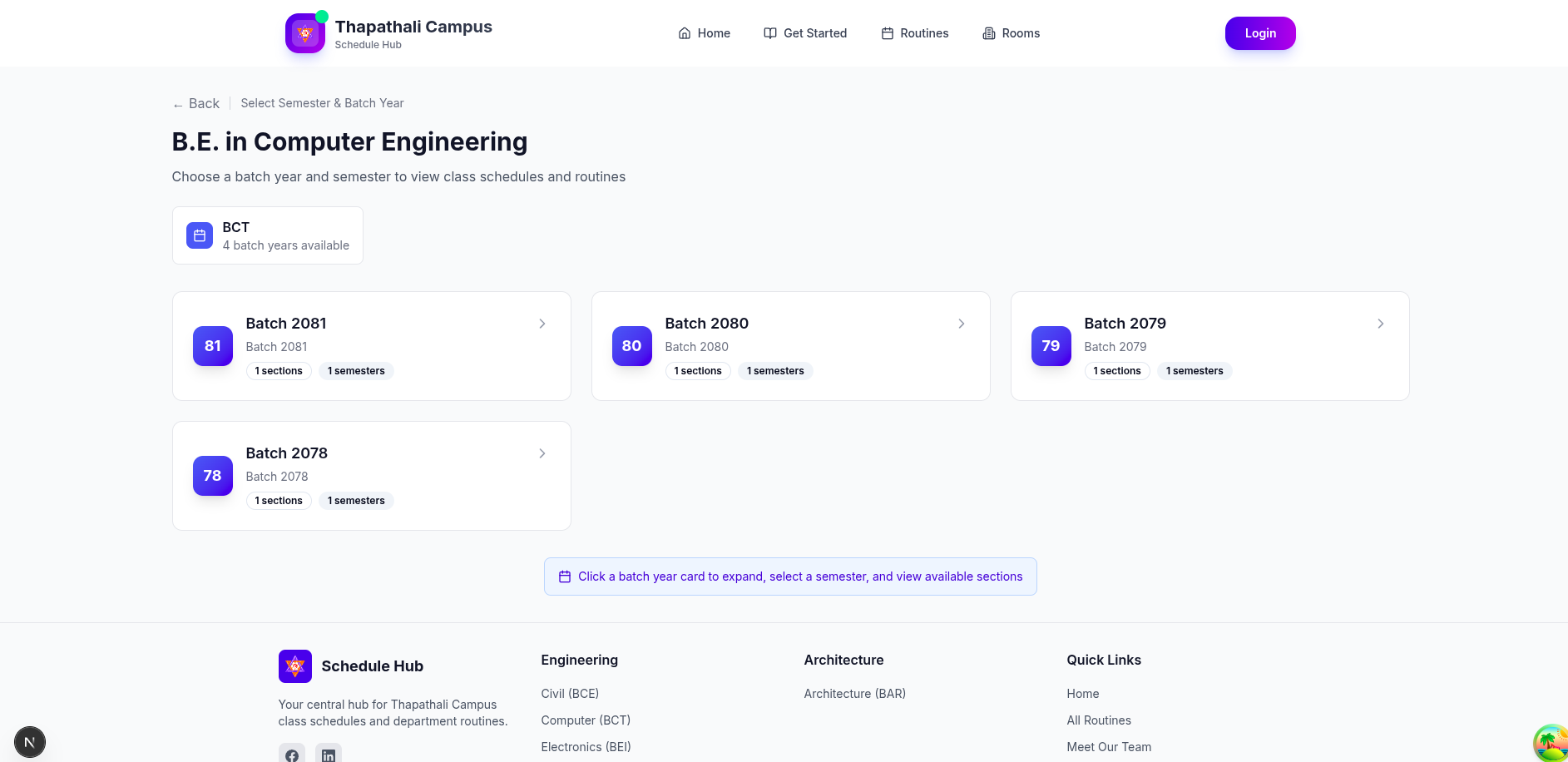
- Pick your batch/semester/section to open the routine grid.

View and print
Once the routine grid loads, you can view details or print.
- Hover or tap cells to see subjects, rooms, and teacher details.
- Use your browser’s print dialog to print or save as PDF.
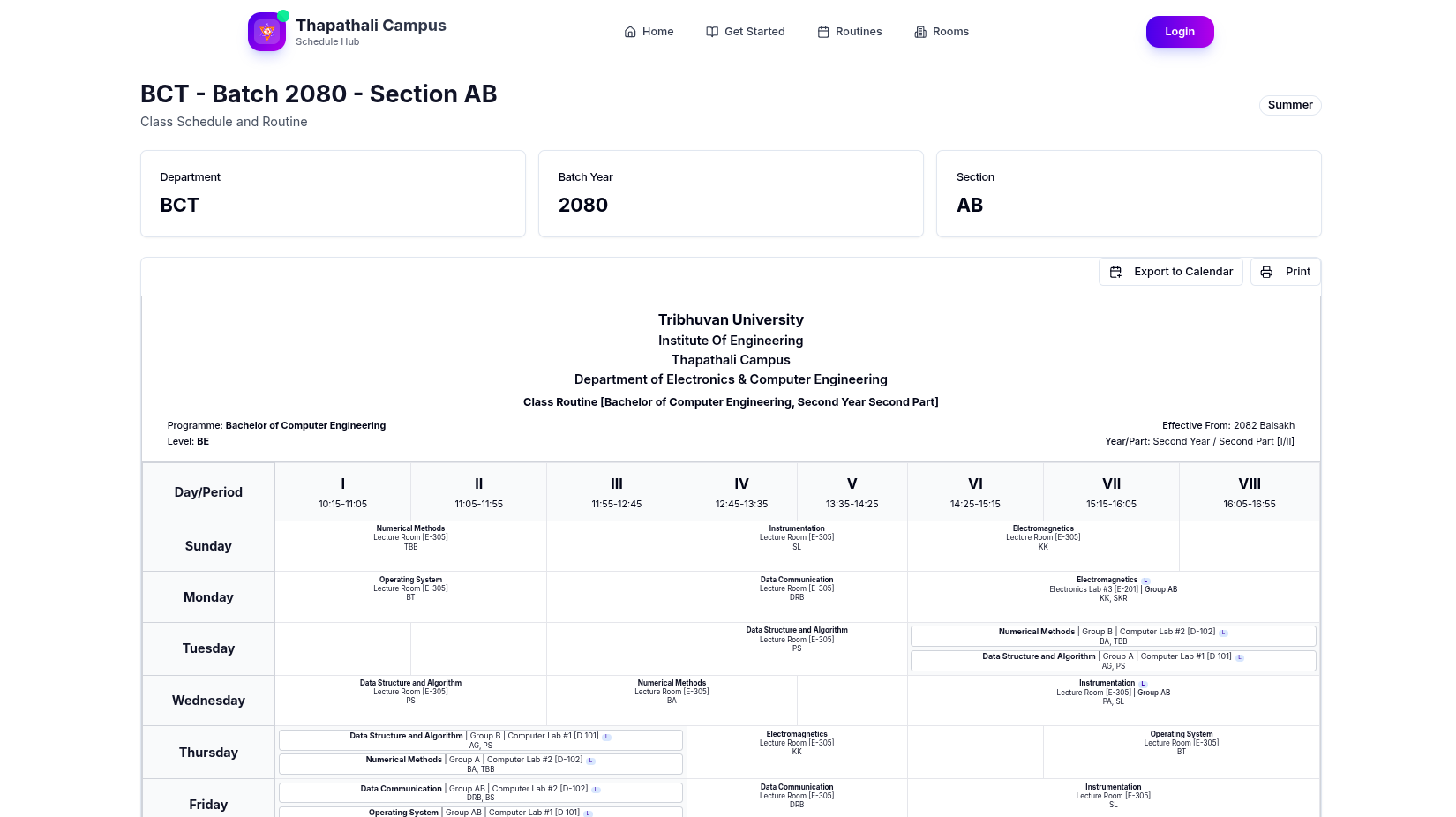
Export to Calendar (Optional)
Add your class times to your personal calendar app to get reminders.
- On the routine page, click Export to Calendar if available.
- Import the downloaded
.icsfile into Google Calendar, iCloud Calendar, Outlook, etc. - Enable notifications in your calendar to get alerts before classes.

5) Optional — Rooms view
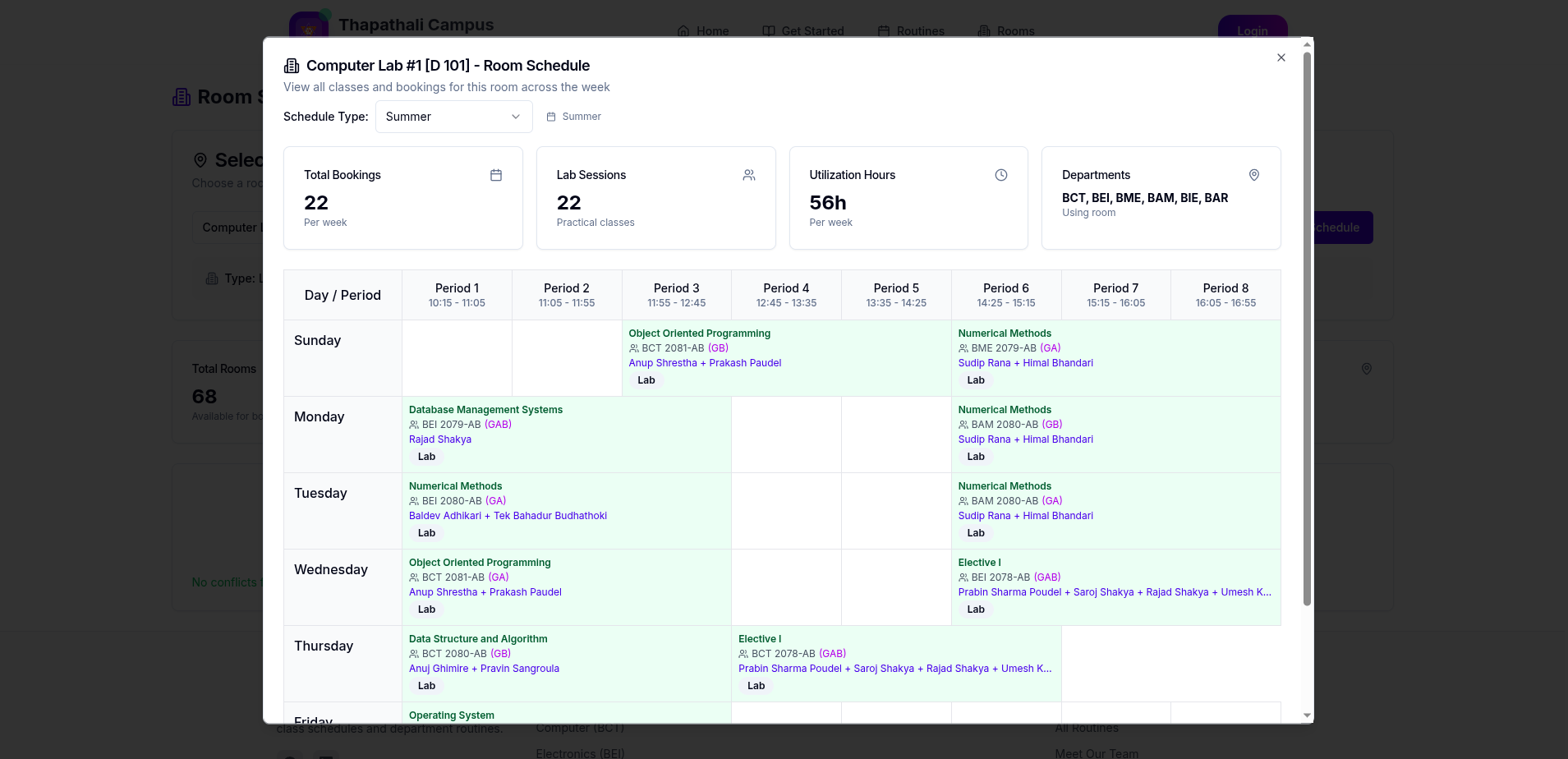
Explore weekly bookings for a specific room.
- Open the Rooms page from the top navigation.
- Select any room and open its schedule viewer.
Back to Overview
Need a teacher or admin guide? See role selection on the overview.